 morganamilo
43feb12c85
morganamilo
43feb12c85
depOrder.Aur contains the order in which AUR packages are to be
installed. While depOrder.bases contains the actual package data
organized by pkgbase.

deoOrder.AUR is kind of counterintuitive, as it only contains one
package from each package base.

For example if you were to install libc++{,abi,experimental},
depOrder.Aur would only contain one of those packages, which one
actually being quite random. depOrder.Bases[pkg.Pkgbase] will then be
looked up and everything under that slice would be installed.

This means that the only real use depOrder.Aur has, is to give the
pkgbase. So to cut out the middleman, lets merge .Aur and .Bases into
a single field.

Doing this has also heped to spot som subtle bugs:

Fix subtle split package errors.

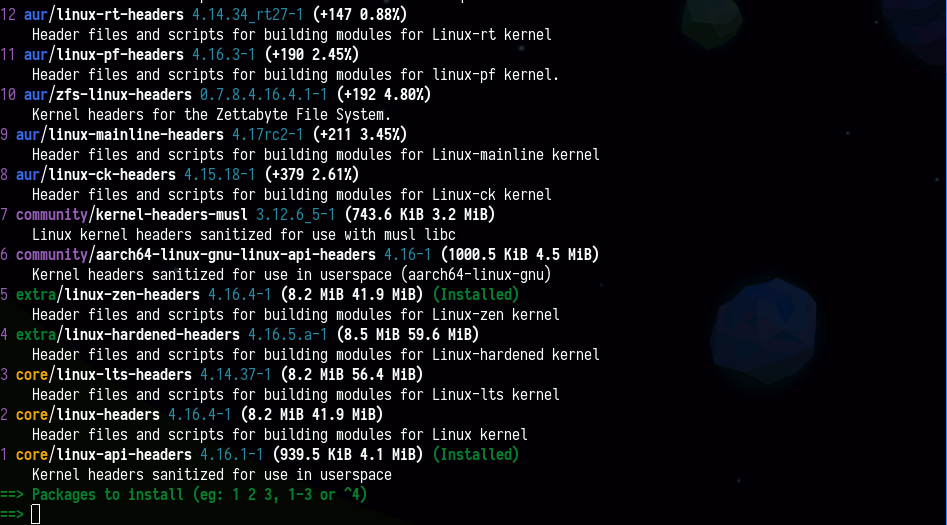
The number menus now correctly list and respect (installed) for bases
that have atleast one of their packages installed.

Entering package names in number menus now always expects the pkgbase
name instead of the random package which happened to make it into .Aur.

--rebuild and --redownload correctly handles split packages.

formatPkgbase is also used more.
yay
Yet another Yogurt - An AUR Helper written in Go
Packages




There's a point in everyone's life when you feel the need to write an AUR helper because there are only about 20 of them.
So say hi to 20+1.
Yay was created with a few objectives in mind and based on the design of yaourt, apacman and pacaur:
- Have almost no dependencies
- Provide an interface for pacman
- Have yaourt-like search
- Minimize user input
- Know when git packages are due for an upgrade
Features
- AUR Tab completion
- Download PKGBUILD from ABS or AUR
- Ask all questions first and then start building
- Search narrowing (
yay linux headerwill first search linux and then narrow on header) - No sourcing of PKGBUILD is done
- The binary has no dependencies that pacman doesn't already have
- Advanced dependency solving
- Remove make dependencies at the end of the build process
Installation
If you are migrating from another AUR helper you can simply install Yay from the AUR like any other package.
The initial installation of Yay can be done by cloning the PKGBUILD and building with makepkg.
git clone https://aur.archlinux.org/yay.git
cd yay
makepkg -si
Contributing
Contributors are always welcome!
If you plan to make any large changes or changes that may not be 100% agreed on, we suggest opening an issue detailing your ideas first.
Otherwise send us a pull request and we will be happy to review it.
Code Style
All code should be formatted through go fmt. This tool will automatically
format code for you. Although it is recommended you write code in this style
and just use this tool to catch mistakes.
Building
Yay is easy to build with its only build dependency being go and the
assumption of base-devel being installed.
Run make to build Yay. This will generate a binary called yay in the same
directory as the Makefile.
Run make test to test Yay. This will check the code is formatted correctly,
run the code through go vet and run unit tests.
Yay's Makefile automatically sets the GOPATH to $PWD/.go. This makes it easy to
build using the dependencies in vendor/. Running manual go commands such as
go build will require that you to either set the GOPATH manually or go get
The dependencies into your own GOPATH.
Vendored Dependencies
Yay depends on a couple of other projects. These are stored in vendor/ and
are built into Yay at build time. They do not need to be installed separately.
Currently yay Depends on:
- https://github.com/Jguer/go-alpm
- https://github.com/Morganamilo/go-srcinfo
- https://github.com/mikkeloscar/aur
Frequently Asked Questions
Yay does not display colored output. How do I fix it?
Make sure you have the Color option in your /etc/pacman.conf #123
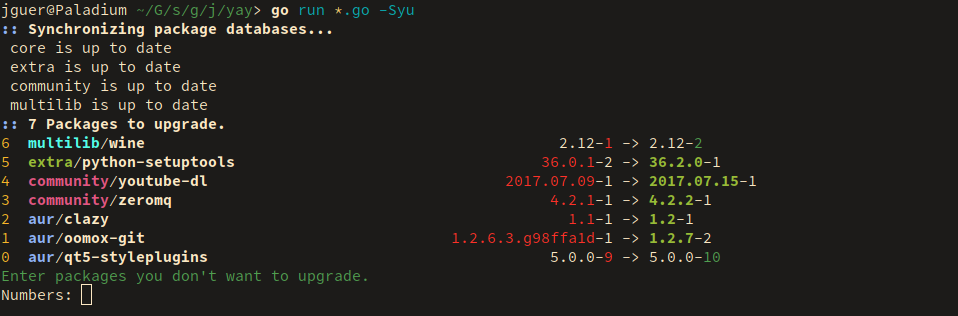
Yay is not prompting to skip packages during sysupgrade (issue #554)
The default behavior was changed after v8.918
(see: 3bdb534).
To restore such behavior use --combinedupgrade. This can also be
permanently enabled by appending --save.
Note: this causes native pacman to become partial.
Sometimes diffs are printed to the terminal and other times they are paged via less. How do I fix this?
Yay uses git diff to display diffs, by default git tells less to not page
if the output can fit one terminal length. This can be overridden by
exporting your own flags export LESS=SRX.
Yay is not asking me to edit PKGBUILDS and I don't like diff menu! What do?
yay --editmenu --nodiffmenu --save
Only act on AUR packages or only on repo packages?
yay -{OPERATION} --aur
yay -{OPERATION} --repo
Out Of Date AUR Packages message is displayed, why doesn't yay update them?
This means the package has been flagged out of date on the AUR, but its
maintainer has not yet updated the PKGBUILD.
Yay doesn't install dependencies added to PKGBUILD during installation.
Yay resolves all dependencies ahead of time. You are free to edit the PKGBUILD in any way, but any problems you cause are your own and should not be reported unless they can be reproduced with the original PKGBUILD.
Examples of Custom Operations
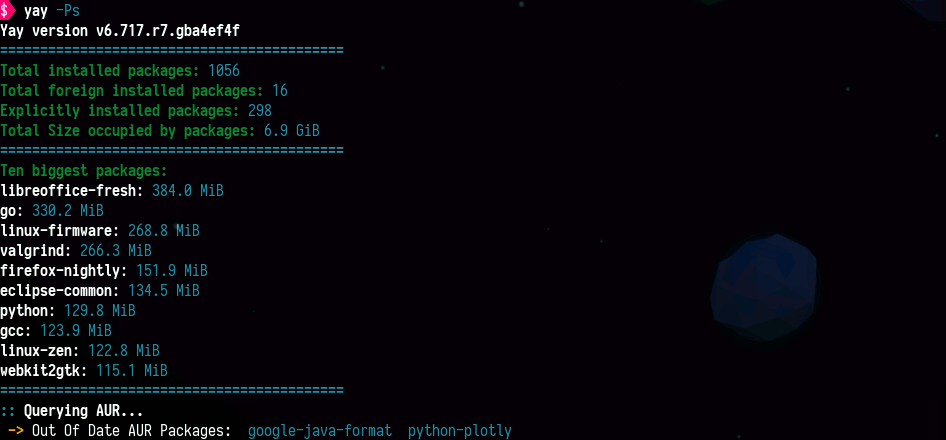
yay <Search Term>presents package selection menuyay -Psprints system statisticsyay -Puprints update listyay -Yccleans unneeded dependenciesyay -Gdownloads PKGBUILD from ABS or AURyay -Y --gendbgenerates development package DB used for devel updates.yay -Syu --devel --timeupdateNormal update but also check for development package updates and uses PKGBUILD modification time and not version to determine update
Images